

ServerTroubleshooting Services
Fix server issues fast without disrupting care.
When a server slows down, everything behind it can stall. MediSure delivers server troubleshooting services that diagnose issues quickly, apply proven fixes, and restore stability so healthcare teams can keep working without repeated outages.
Overview
Server problems rarely show up as one clear error. You’ll see timeouts, slow apps, random disconnects, or services that keep stopping. Our server troubleshooting services use a structured process to find the real cause, stabilize performance, and document what changed so the same incident doesn’t come back next week.
Systematic Server Troubleshooting
When healthcare systems experience server issues, every minute counts. Our structured diagnostic approach combines automated tooling with proven methodologies to identify root causes quickly and implement lasting fixes. We follow systematic workflows that reduce mean time to resolution while preventing recurring incidents through thorough documentation and knowledge transfer.
Rapid Diagnosis
Systematic checks across CPU, memory, I/O, network, and application layers using Prometheus metrics and structured troubleshooting trees.
Proven Fixes
Curated remediation playbooks for common server issues, validated in healthcare environments with rollback procedures and change documentation.
Evidence Trail
Complete audit trail with Grafana snapshots, log excerpts, and validation reports for compliance and continuous improvement.
Diagnostic Checklist
Systematic approach to server diagnostics covering all critical subsystems
CPU
- CPU utilization per core
- Load average trends
- Process CPU consumption
- Context switching rates
- CPU steal time (virtualized)
Memory
- Memory utilization %
- Swap usage patterns
- Buffer/cache efficiency
- Memory leaks detection
- OOM killer events
I/O
- Disk utilization %
- IOPS and latency
- Queue depth analysis
- Filesystem space/inodes
- Mount point health
Network
- Interface utilization
- Packet loss/errors
- Connection states
- DNS resolution
- Firewall/routing
Processes
- Service status checks
- Process resource usage
- Thread/handle counts
- Zombie processes
- Critical service health
Logs
- System log analysis
- Application error patterns
- Security event correlation
- Performance anomalies
- Recent change events
Diagnostic Tools & Data Sources
Metrics Collection
- • Prometheus + node_exporter (Linux)
- • Windows exporter (Windows systems)
- • Custom application metrics
- • SNMP monitoring (network/storage)
Log Analysis
- • Loki/OpenSearch log aggregation
- • Structured query analysis
- • Pattern recognition & alerts
- • Cross-system correlation
Common Fixes & Solutions
Proven remediation playbooks for the most frequent server issues in healthcare environments
Service Management
Service Restart
Graceful restart procedures with health checks
Process Recovery
Automated process monitoring and restart
Configuration Reload
Hot-reload configuration without downtime
Performance Tuning
Cache Optimization
Memory cache tuning and cleanup procedures
Resource Allocation
CPU and memory limit adjustments
I/O Optimization
Disk and network performance tuning
System Maintenance
Driver Updates
Hardware driver and firmware updates
Cleanup Procedures
Disk space recovery and log rotation
Security Patches
Critical security update deployment
Fix Validation Process
Pre-Fix Checks
- • Backup current configuration
- • Document current state
- • Verify change window approval
- • Prepare rollback procedures
Post-Fix Validation
- • Service health verification
- • Performance metrics review
- • User acceptance testing
- • Documentation update
Fix Validation Process
A fix isn’t “done” until you can trust it. We validate results so performance stays stable after remediation.
| Validation step | What it confirms |
|---|---|
| Metric comparison | Performance improved vs baseline |
| Error rate check | Failures and alerts dropped |
| Service stability | Services stay running over time |
| User workflow check | Real-world impact is resolved |
| Documentation update | Changes are traceable and repeatable |
Environments We Support
You may run one server or many. You may be on-prem, cloud, or hybrid. We adapt server troubleshooting services to the environment you actually use.
| Environment | What we troubleshoot |
|---|---|
| On-prem servers | Performance, services, storage, network dependencies |
| Cloud servers | Resource constraints, scaling issues, access, connectivity |
| Hybrid setups | Cross-environment latency, routing, sync failures |
| Virtualized servers | VM resource contention, host pressure, stability issues |
Evidence & Documentation
Complete audit trail and documentation for compliance and continuous improvement
Grafana Snapshots
- Before/after metric comparisons
- Performance trend analysis
- Alert timeline visualization
- Dashboard exports with annotations
Log Excerpts
- Relevant error message extraction
- Pattern analysis and correlation
- Timeline reconstruction
- Structured query results
Documentation Standards
Incident Report
Root cause analysis, timeline, impact assessment, and lessons learned
Fix Documentation
Step-by-step remediation, validation checks, and rollback procedures
Validation Report
Post-fix testing results, performance verification, and sign-off
Compliance & Retention
All troubleshooting evidence is retained for minimum 12 months, with structured indexing for audit and regulatory compliance requirements.
SLA Snapshot
Guaranteed response and resolution times aligned with healthcare operational requirements
| Priority | Severity | Description | Acknowledgment | Resolution | Escalation | Coverage |
|---|---|---|---|---|---|---|
P1 | Critical | Production system down, patient care impact | 15 minutes | 60 minutes | 30 minutes | 24×7 |
P2 | High | Significant performance degradation | 30 minutes | 4 hours | 2 hours | Business hours |
P3 | Medium | Minor issues, workaround available | 2 hours | Next business day | 4 hours | Business hours |
P4 | Low | Enhancement requests, planned changes | 4 hours | 5 business days | Next business day | Business hours |
Response Time
15 min
Average P1 acknowledgment
Resolution Rate
98.5%
Within SLA targets
Escalation
< 5%
Incidents requiring escalation
Security and Supporting HIPAA Compliance
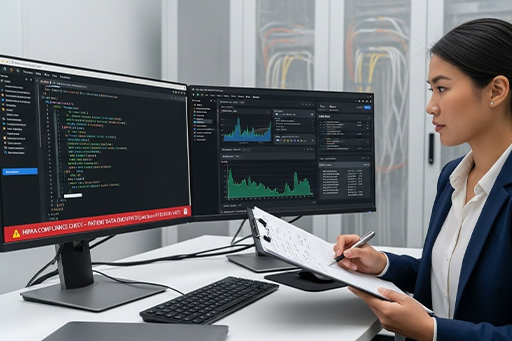
Server access and troubleshooting often involve sensitive systems and privileged actions. We follow practices designed for supporting HIPAA compliance, including controlled access, secure handling of logs, and audit-ready documentation for key response actions.
What you can expect
Role-based access during troubleshooting work
Secure handling steps for credentials and logs
Traceable change notes and approval visibility
Validation checks after recovery to confirm stability and security
How We Prevent Repeat Incidents
Many server issues repeat because the underlying pattern never gets addressed. We reduce repeat incidents by capturing what caused the failure and what conditions triggered it.

Prevention steps
Baseline performance snapshots for comparison
Capacity flags before overload happens again
Review of recurring alerts and failure patterns
Recommendations for tuning and maintenance planning
Frequently Asked
Questions
Get answers to common questions about our 24/7 healthcare IT support services, staffing, processes, and service capabilities.
We prioritize based on severity and operational impact, so critical issues get routed first and handled faster.
Basic access details, the affected system name, recent changes if known, and what users are experiencing helps speed up diagnosis.
Yes. MediSure can support urgent incidents outside normal hours depending on the coverage and escalation workflow in place.
Yes. MediSure supports on-prem, cloud, and hybrid environments, including virtualized server troubleshooting.
We use a structured checklist across CPU, memory, I/O, network, processes, and logs, then validate the fix with measurable improvement.
Yes. We provide clear notes on what happened, what changed, and how the fix was validated so future troubleshooting is faster.
Ready to Get Started?
Contact our team to learn how our Server Troubleshooting Services can support your needs and improve your efficiency.
Call us now: +1 (951) 622-8126