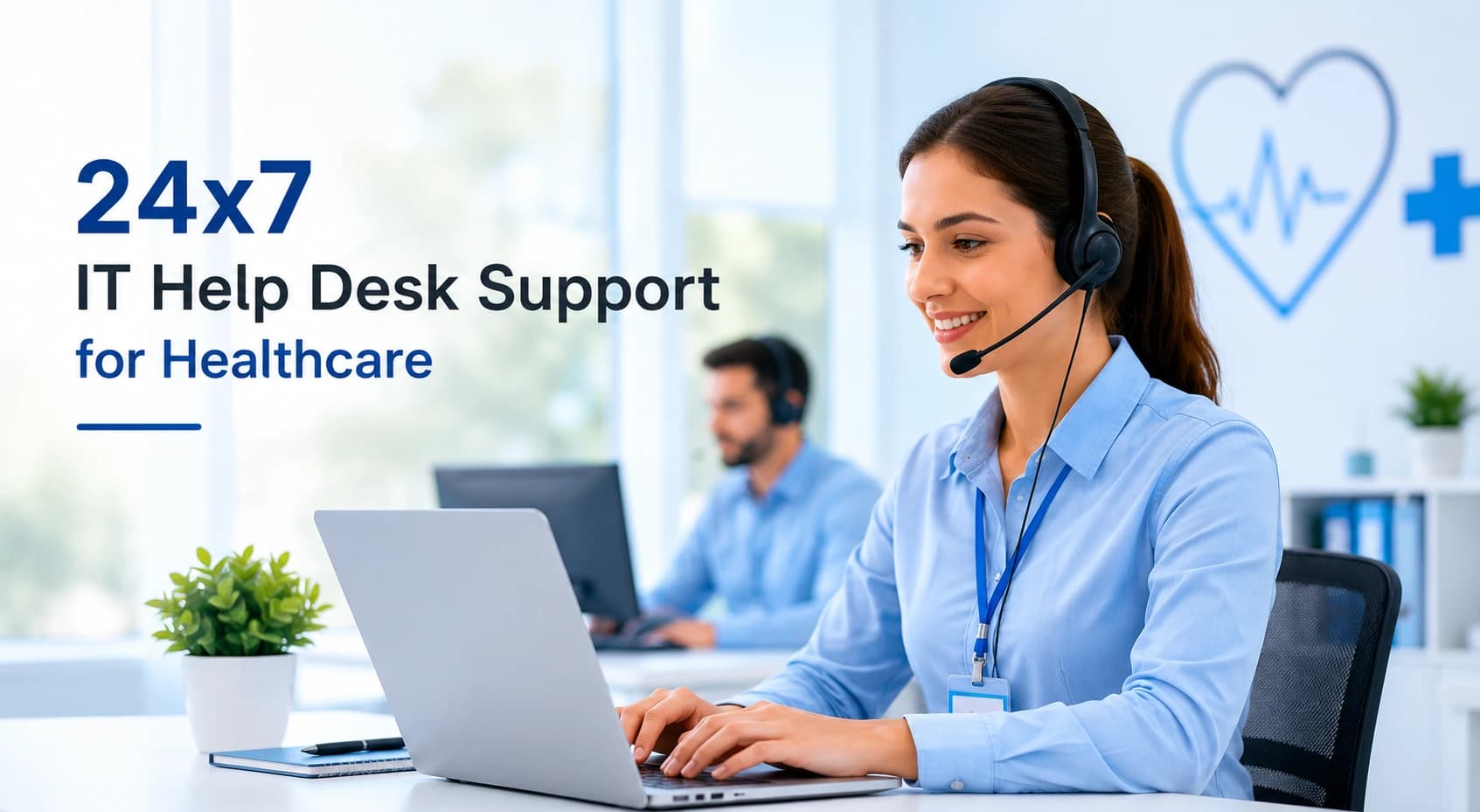
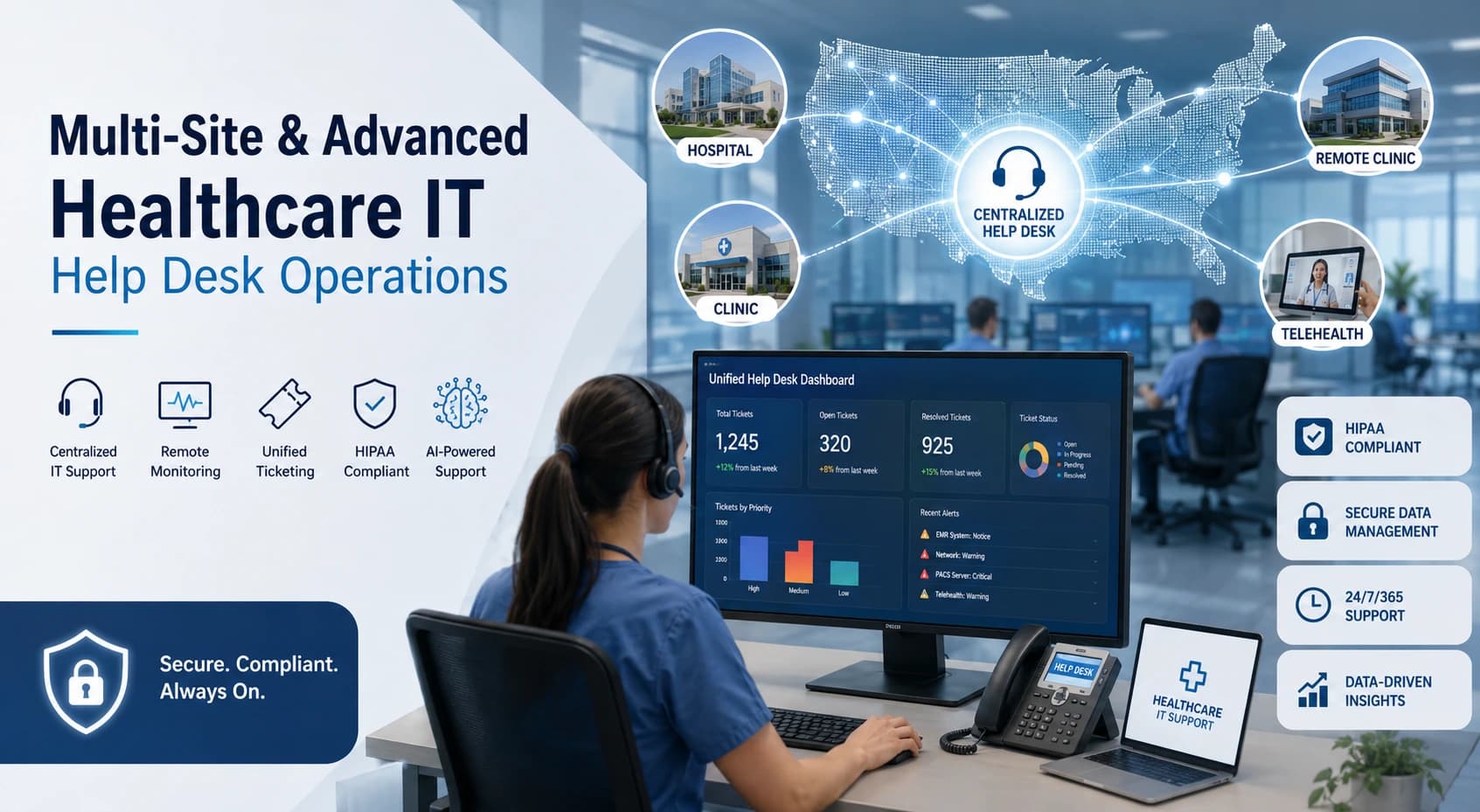
Healthcare organizations in the USA increasingly rely on multi-site healthcare IT help desk operations to manage distributed clinics, hospitals, remote care teams, and telehealth platforms.
Modern healthcare environments require:
- Centralized IT support across all locations
- Remote monitoring and clinic support
- Unified ticketing with predictive ticketing and automated alerts
- Intelligent routing and AI integration
- HIPAA-compliant workflows and secure patient data handling
This advanced IT support ensures continuous clinical workflows, operational efficiency, and patient satisfaction.
Introduction to Multi-Site Help Desk Support Healthcare
Key Points
- Centralized support hub for multiple hospitals, clinics, and remote teams
- 24/7 technical coverage for hardware, software, network, and EMR/EHR issues
- Protects sensitive patient data and maintains regulatory compliance (HIPAA)
- Resolves patient, clinical, and administrative requests efficiently
Benefits
- Reduces downtime and operational disruptions
- Improves clinical staff productivity
- Enhances patient experience through better portal and telehealth support
What Is Multi-Site Healthcare IT Help Desk Support?
Multi-site healthcare IT help desk support is a centralized system that handles technical issues across multiple healthcare locations.
Functions Include
- EHR/EMR troubleshooting across clinics and hospitals
- Network connectivity and endpoint monitoring
- Medical device support (printers, scanners, PACS systems, badge scanners)
- Telehealth platform and remote monitoring device support
- Patient-facing support (portals, scheduling, billing)
Why Distributed Clinics and Hospitals Need Centralized IT Support
Challenges Without Centralized IT Support
- Inconsistent issue resolution across locations
- Slow response to critical technical problems
- Reduced patient care efficiency
Centralized Support Advantages
- Unified ticketing system across all sites
- Standardized SLAs for all locations
- Remote monitoring and predictive alerts for proactive management
- Better visibility for IT leadership
Core Functions of Multi-Site Healthcare Help Desk Operations
1. IT Infrastructure Support
- EHR/EMR system access troubleshooting
- Network and server monitoring
- Device connectivity (workstations, tablets, mobile devices)
- Hardware maintenance (printers, scanners, badge readers)
2. Patient & Clinical Support
- Appointment scheduling and rescheduling
- Prescription refill workflows
- Patient portal troubleshooting
- Telehealth support
3. Compliance & Security
- HIPAA compliance and encrypted communications
- Audit logging and access control
- BAA agreements with vendors handling PHI
Centralized Ticketing and Unified Help Desk Management
Features
- Unified ticketing platform for all sites
- Intelligent routing based on issue type, severity, and location
- Priority-based escalations for critical clinical issues
- SLA tracking for rapid resolution
Benefits
- Consistency in support across multiple locations
- Data-driven insights for IT planning
- Faster resolution of high-priority issues
Remote Clinic Support and Monitoring Management
Remote Monitoring Advantages
- Real-time endpoint monitoring across all locations
- Patch management, software updates, and device health checks remotely
- Reduces need for on-site IT intervention
- Maintains EMR/EHR system uptime
Security Considerations
- Encrypted connections and verified access
- Role-based permissions for staff
- HIPAA-compliant remote troubleshooting
EMR/EHR System Triage Across Multiple Locations
Support Includes
- Physician portal access issues
- Patient chart and scheduling errors
- Billing system integration problems
- Tier 2/Tier 3 clinical workflow analysis
Benefits
- Prevents downtime in critical care environments
- Ensures patient data integrity
- Supports regulatory compliance
Patient, Clinical, and Telehealth Support Workflows
Services
- Patient portal assistance (lab results, messages, record downloads)
- Telehealth session troubleshooting
- Remote monitoring device support
- Appointment and prescription management
Impact
- Reduces burden on on-site staff
- Enhances patient satisfaction and engagement
- Ensures seamless care across all sites
Intelligent Routing, Predictive Ticketing, and Automated Alerts
Features
- AI-driven intelligent ticket routing
- Predictive ticketing using historical data
- Automated alerts for critical failures or security events
- Integration with monitoring tools for proactive problem resolution
Benefits
- Faster resolution of IT issues
- Reduced downtime and improved patient care continuity
- Enhanced decision-making for IT teams
HIPAA Compliance, Security, Data Logging, and Access Control
Key Practices
- Encrypted communication channels
- Audit logging for all system access and ticket updates
- Role-based access control for staff and vendors
- Compliance with HIPAA regulations for patient data
- Secure remote troubleshooting processes
On-Site Escalation Protocols for Hardware and Infrastructure Issues
When On-Site Intervention Is Needed
- Printer, scanner, or badge scanner malfunctions
- Workstation or server failures
- Local network or device connectivity issues
Protocols
- Escalate based on severity and patient impact
- Use local technicians or flying IT staff for rapid response
- Maintain hardware inventory for faster replacements
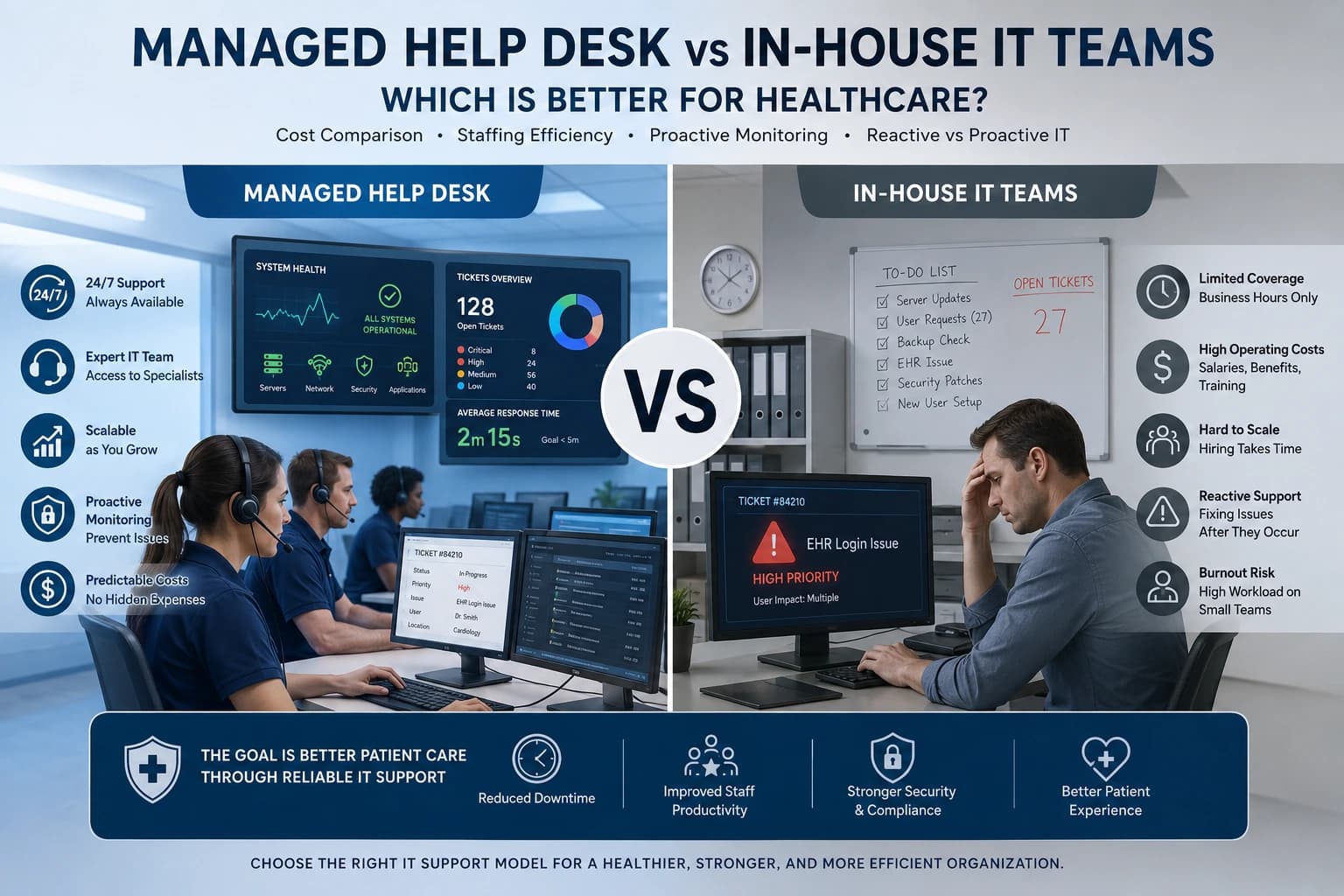
In-House, Outsourced, MSP, and Hybrid Support Models
Support Options
In-House
Direct control, integrated workflows, high cost for 24/7 coverage
Outsourced
Scalable, cost-effective, HIPAA-compliant vendor support
MSP (Managed Service Provider)
Broader IT management including monitoring, patching, cybersecurity
Hybrid
Combines internal staff with external or MSP support for optimized coverage
Pricing Models, SLAs, and Evaluation Considerations
Pricing
- Per-user subscription: $125–$250 per user/month
- Per-device or flat managed service options
SLA Metrics
- Response and resolution times
- Uptime expectations
- Escalation and reporting procedures
Evaluation Questions
- How many locations and users need support?
- Are support services internal, outsourced, or hybrid?
- Are patient-facing requests included?
- What are compliance, budget, and operating hours requirements?
Benefits of Multi-Site & Advanced Help Desk Operations
- Reduced downtime and operational disruptions
- Standardized support across all locations
- Faster response to EHR/EMR and telehealth issues
- Stronger HIPAA compliance and data security
- Enhanced patient experience and engagement
- Data-driven insights for IT leadership
Conclusion
Multi-Site & Advanced Healthcare IT Help Desk Operations are vital for hospitals, clinics, and remote care teams in the USA. By combining centralized IT support, remote monitoring, unified ticketing, predictive and automated workflows, intelligent routing, AI integration, and strict compliance, healthcare organizations can ensure:
- Continuous clinical workflow
- Secure patient data management
- Rapid response to IT issues
- Improved patient and staff satisfaction
A well-designed multi-site help desk is no longer optional it is a strategic asset that keeps modern healthcare operations running smoothly across all locations.
FAQs
1. What is Multi-Site & Advanced Healthcare IT Help Desk Operations?
Multi-Site & Advanced Healthcare IT Help Desk Operations refers to a centralized IT support framework designed to manage technical services across multiple hospitals, clinics, outpatient centers, and remote healthcare facilities. These operations provide 24/7/365 support for clinical and administrative systems, ensuring healthcare professionals have uninterrupted access to critical technologies such as EHR/EMR platforms, telehealth systems, medical devices, patient portals, and healthcare networks. Advanced help desks use centralized ticketing, intelligent routing, predictive monitoring, and compliance-driven processes to support healthcare organizations while maintaining secure and efficient patient care operations across all locations.
2. Why is centralized IT support important for multi-site healthcare organizations?
Healthcare organizations with multiple locations often face challenges such as inconsistent support processes, delayed issue resolution, fragmented communication, and varying technology standards. A centralized healthcare IT help desk solves these challenges by providing a single support platform for all facilities. Through unified ticketing systems, standardized Service Level Agreements (SLAs), centralized monitoring, and consistent support workflows, healthcare providers receive the same level of service regardless of location. This approach improves operational efficiency, reduces downtime, increases visibility for IT leadership, and ensures a seamless experience for clinicians, staff, and patients across the entire healthcare network.
3. How does clinical triage improve healthcare IT help desk operations?
Clinical triage is a specialized process that prioritizes IT issues based on their impact on patient care and clinical operations. Unlike traditional help desks, healthcare IT support teams understand clinical workflows and can determine which incidents require immediate attention. For example, an emergency department physician being locked out of an EHR system is treated as a critical priority compared to routine administrative requests. By applying clinical-aware triage procedures, healthcare organizations can resolve urgent issues faster, reduce risks to patient safety, maintain continuity of care, and ensure that critical healthcare services remain available at all times.
4. What systems and technologies do advanced healthcare IT help desks support?
Advanced healthcare IT help desks support a wide range of healthcare-specific technologies and infrastructure. These include Electronic Health Records (EHR) and Electronic Medical Records (EMR) systems such as Epic and Cerner, Picture Archiving and Communication Systems (PACS), patient portals, telehealth platforms, biomedical devices, medical imaging equipment, badge scanners, printers, workstations, cloud applications, servers, and hospital networks. Help desk specialists are trained to troubleshoot software issues, connectivity problems, device integration challenges, user access concerns, and system performance issues to ensure uninterrupted clinical and administrative operations.
5. How do multi-site healthcare IT help desks maintain HIPAA compliance and data security?
Healthcare IT help desks follow strict security and compliance protocols to protect Protected Health Information (PHI) and maintain HIPAA compliance. These measures include encrypted communications, secure remote access, audit logging, role-based access controls, identity verification procedures, cybersecurity monitoring, and detailed tracking of all system activities. Support teams are trained to follow healthcare privacy regulations while resolving technical issues involving patient records, user accounts, medical devices, and clinical applications. By implementing these safeguards, healthcare organizations reduce the risk of data breaches, improve regulatory compliance, and maintain patient trust.
6. How do remote support, intelligent routing, and on-site escalation work together?
Modern healthcare IT help desks use a combination of remote support tools, intelligent ticket routing, and on-site escalation procedures to resolve issues efficiently. Most software, network, and user-related problems can be diagnosed and resolved remotely through centralized monitoring and support platforms. Intelligent routing automatically directs tickets to the most qualified technician based on issue type, location, severity, and clinical impact. When physical intervention is required for hardware failures, device replacements, network outages, or infrastructure issues, the system escalates the request to local technicians or field engineers. This hybrid approach minimizes downtime, improves response times, and ensures continuous healthcare operations.
7. Should healthcare organizations use in-house, outsourced, MSP, or hybrid help desk models?
The ideal support model depends on the organization’s size, budget, compliance requirements, and operational complexity. In-house healthcare IT teams provide direct oversight and deep familiarity with internal workflows but may require significant investment to maintain 24/7 coverage. Outsourced healthcare help desks offer cost-effective and scalable support with access to specialized healthcare IT expertise. Managed Service Providers (MSPs) typically provide broader services, including monitoring, cybersecurity, infrastructure management, and proactive maintenance. Many healthcare organizations choose a hybrid model that combines internal IT staff with outsourced or MSP resources, allowing them to balance cost efficiency, specialized expertise, compliance requirements, and around-the-clock support across multiple locations.