Healthcare organizations depend on technology every hour of the day. Hospitals, clinics, urgent care centers, diagnostic laboratories, telehealth providers, senior care facilities, and multi-location medical practices all rely on digital systems to deliver safe and efficient patient care.
Electronic Health Records, Electronic Medical Records, patient portals, telehealth platforms, billing systems, scheduling tools, imaging systems, cloud applications, and connected medical devices are now part of daily healthcare operations. When these systems work properly, staff can serve patients faster. When they fail, the impact can be serious.
A login issue can delay access to patient records. A network outage can slow down an entire clinic. A telehealth problem can interrupt a virtual visit. A printer or scanner issue can delay documentation. A cybersecurity alert can create compliance and data protection concerns.
This is why 24×7 IT help desk support is essential for modern healthcare organizations. It provides continuous technical assistance, ticket tracking, remote desktop support, SLA response time management, ticket escalation, NOC integration, call tracking, cybersecurity monitoring, and faster incident resolution.
A healthcare IT help desk is not just a basic troubleshooting team. It is a support system designed to keep clinical, administrative, and patient-facing technology running smoothly at all times.
What Is 24×7 IT Help Desk Support?
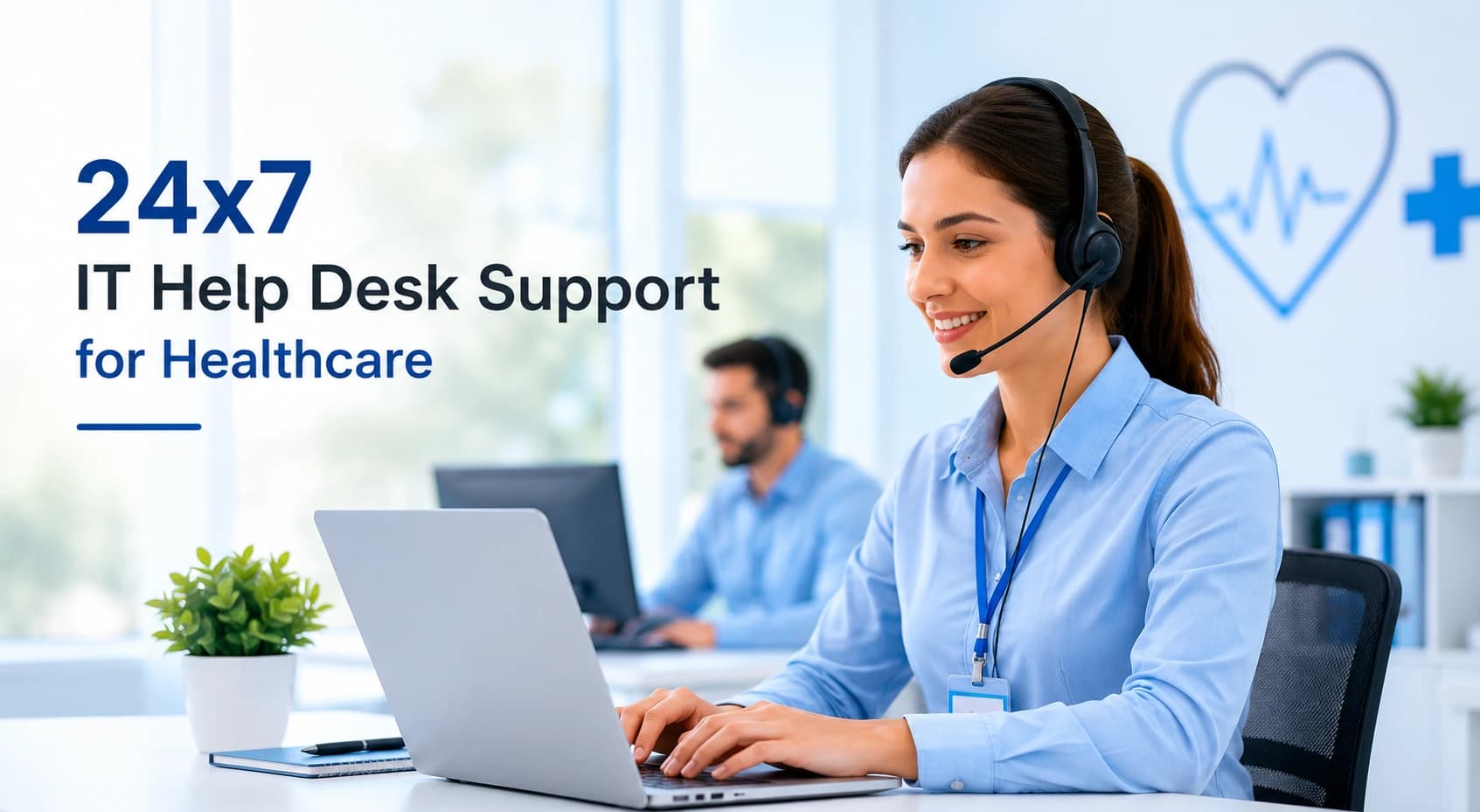
24×7 IT help desk support means technical support is available 24 hours a day, 7 days a week, and 365 days a year. It gives healthcare staff access to help whenever a technology issue occurs, whether it happens during office hours, overnight, on weekends, or during holidays.
In healthcare, the help desk acts as the first point of contact for doctors, nurses, front-desk teams, billing staff, administrators, remote workers, and other users who need IT assistance.
A 24×7 healthcare IT help desk commonly supports:
- EHR and EMR access issues
- Password resets and login problems
- Network connectivity failures
- Application crashes
- Printer and scanner issues
- Telehealth platform problems
- Patient portal access concerns
- Email and cloud application issues
- Workstation and laptop problems
- Remote access errors
- Cybersecurity alerts
- Medical device integration issues
The main goal is simple: help healthcare teams resolve IT issues quickly so patient care and daily operations are not delayed.
Why Healthcare Organizations Need 24×7 IT Help Desk Support
Healthcare does not operate like a normal business. Many organizations provide care beyond standard working hours. Hospitals run day and night. Urgent care centers may stay open late. Telehealth platforms may support patients after hours. Doctors, nurses, and administrative teams often work in shifts.
Because of this, healthcare technology must remain available at all times. If IT support is only available during business hours, staff may be forced to wait when urgent problems happen after hours.
24×7 IT help desk support helps healthcare organizations maintain continuity. It gives staff a reliable support channel whenever they face a technical issue.
The biggest reasons healthcare organizations need 24×7 support include:
- Continuous patient care requirements
- Reduced downtime
- Faster technical issue resolution
- Better staff productivity
- Stronger cybersecurity response
- Better support for remote and multi-location teams
- Improved patient experience
- More reliable access to clinical systems
In healthcare, even small IT delays can affect patient flow, documentation, billing, and communication. A strong help desk reduces these risks.
Key Features of Healthcare IT Help Desk Support
A healthcare IT help desk should include more than basic technical support. It should be structured, secure, measurable, and designed around healthcare workflows.
1. Round-the-Clock Availability
The most important feature is continuous availability. Staff should be able to reach support during the day, at night, on weekends, and during holidays.
However, not every provider defines 24×7 support the same way. Some provide live technician support at all hours. Others only provide after-hours emergency support.
Healthcare organizations should confirm:
- Is support truly available 24×7?
- Are live technicians available after hours?
- Are weekends and holidays included?
- What issues qualify as emergencies?
- What response times are guaranteed?
- Which communication channels are available?
Clear support availability helps staff know what to expect when urgent problems occur.
2. Omnichannel Support
Healthcare staff work in different roles and environments, so support should be easy to access through multiple channels.
Common help desk channels include:
- Phone support
- Email support
- Live chat
- Ticket portal
- Mobile app
- Self-service knowledge base
- Remote desktop support
A nurse may need urgent phone support. A billing team member may submit a ticket. A remote provider may need live chat. A multi-location clinic may need a central portal to track all requests.
Omnichannel support makes IT help easier and faster for every type of user.
3. Call Tracking and Ticket Management
Call tracking is an important part of professional IT support. Every support request should be logged as a ticket, whether it comes by phone, email, chat, or portal.
A ticketing system tracks:
- Who reported the issue
- When the issue was reported
- Which department or location is affected
- What system is involved
- Priority level
- Assigned technician
- Response time
- Resolution time
- Escalation history
- Final resolution notes
This creates accountability and visibility. Healthcare leaders can see how many issues are happening, which systems cause the most problems, and whether the support team is meeting SLA response time goals.
Without call tracking, IT support becomes difficult to measure. With proper ticket management, healthcare organizations can improve support quality over time.
4. Remote Desktop Support
Remote desktop support allows technicians to securely access a user’s computer or system to troubleshoot issues directly. This is especially useful for healthcare organizations with multiple locations, remote staff, or busy clinical teams.
Remote support can help resolve:
- EHR login issues
- Browser errors
- Printer mapping problems
- Software crashes
- Workstation setup issues
- Application configuration
- Slow device performance
- Remote access problems
Instead of waiting for an on-site visit, a technician can often fix the issue quickly through secure remote access. This reduces downtime and speeds up incident resolution.
For healthcare staff, remote desktop support also reduces frustration because the technician can see the issue directly and guide the user in real time.
5. Ticket Escalation
Not every issue can be solved by the first support technician. Some problems need advanced troubleshooting. Ticket escalation ensures that the issue moves to the right level of expertise.
A common escalation model includes three levels.
Level 1 Support
Level 1 support handles basic issues such as password resets, login problems, simple software questions, printer checks, and basic workstation troubleshooting.
Level 2 Support
Level 2 support handles more advanced issues such as application errors, device configuration, network problems, cloud access issues, and recurring technical problems.
Level 3 Support
Level 3 support handles complex problems such as server outages, cybersecurity incidents, infrastructure failures, advanced EHR issues, and vendor coordination.
Ticket escalation is important in healthcare because critical issues must not remain stuck at the wrong support level. A strong escalation process improves response speed and reduces operational disruption.
6. SLA Response Time
SLA stands for Service Level Agreement. SLA response time defines how quickly the help desk must respond to an issue based on its priority.
In healthcare, SLA response time is important because not every issue has the same impact. A single user’s minor software question is different from an EHR outage affecting an entire department.
A healthcare SLA model may include:
- Critical issue: immediate or near-immediate response
- High priority issue: response within minutes
- Medium priority issue: response within a few hours
- Low priority issue: same day or next business day response
Good SLA management helps protect patient care, improve accountability, and reduce downtime. It also gives leadership a clear way to measure support performance.
7. Incident Resolution
Incident resolution is the process of identifying, troubleshooting, fixing, documenting, and closing an IT issue. In healthcare, incident resolution must be fast, organized, and properly documented.
A strong incident resolution process includes:
- Ticket creation
- Priority assignment
- Initial troubleshooting
- Remote desktop support
- Escalation if needed
- Vendor coordination
- User communication
- Final resolution
- Documentation
- Follow-up if required
The goal is not just to close tickets quickly. The goal is to fix issues properly so they do not keep happening. Recurring incidents should be reviewed to find root causes.
For example, repeated network issues at one clinic may point to an infrastructure problem. Frequent EHR login issues may point to user access, browser, or authentication problems. Good incident resolution helps prevent future disruptions.
8. NOC Integration
NOC stands for Network Operations Center. A NOC monitors IT infrastructure such as networks, servers, firewalls, backups, cloud systems, and application availability.
NOC integration strengthens healthcare IT support by helping detect problems before users are affected.
A NOC may monitor:
- Network devices
- Servers
- Firewalls
- Internet connections
- Cloud services
- Backups
- Endpoint health
- System performance
- Security alerts
- Application uptime
When the NOC detects an issue, it can create a ticket and notify the help desk. This allows the support team to respond proactively.
NOC integration is especially useful for hospitals, multi-location healthcare groups, labs, and organizations that depend heavily on always-available systems.
Help Desk vs Service Desk vs NOC
Healthcare leaders often hear the terms help desk, service desk, and NOC. These are related, but they are not the same.
A help desk mainly focuses on user support. It helps staff with login issues, software errors, device problems, access requests, and daily troubleshooting.
A service desk is broader. It may include help desk support, service requests, asset management, change management, onboarding, reporting, and process improvement.
A NOC focuses on infrastructure monitoring. It watches networks, servers, cloud systems, firewalls, backups, and alerts.
For healthcare organizations, the strongest support model often combines all three. The help desk supports users, the service desk manages IT processes, and the NOC monitors infrastructure.
EHR and EMR Support
Electronic Health Records and Electronic Medical Records are at the center of healthcare operations. They store patient history, clinical notes, lab results, prescriptions, treatment plans, imaging reports, and care documentation.
If staff cannot access EHR or EMR systems, clinical workflows can slow down quickly.
A healthcare IT help desk can support EHR and EMR issues such as:
- Login problems
- User access issues
- Password resets
- Browser compatibility problems
- Slow performance
- Printing errors
- Scanning problems
- Workstation issues
- Connectivity failures
- Vendor escalation
- Application guidance
A help desk may not control every part of the EHR platform, especially if the system is managed by a third-party vendor. However, the support team can identify whether the problem is local, network-related, user-related, device-related, or vendor-related.
This reduces confusion and helps resolve issues faster.
Telehealth and Patient Portal Support
Telehealth and patient portals are now important parts of healthcare delivery. Patients use digital tools to schedule appointments, attend virtual visits, view test results, send messages, and manage care information.
When these systems do not work properly, patients and staff both experience frustration.
A 24×7 IT help desk can support:
- Telehealth login issues
- Video and audio problems
- Connection errors
- Patient portal access
- Password resets
- Browser issues
- Appointment link problems
- Provider-side setup
- Portal message access
Because patients may use digital tools outside normal business hours, support processes must be reliable. Strong telehealth and portal support improves patient experience and reduces administrative workload.
Cybersecurity Monitoring and Healthcare Data Protection
Healthcare organizations handle sensitive patient data, making cybersecurity a major priority. A 24×7 IT help desk can act as the first line of response when users report suspicious activity.
Healthcare IT help desk teams may support:
- Phishing email reports
- Suspicious login alerts
- Password reset verification
- Account lockouts
- Endpoint warnings
- Malware alerts
- Ransomware escalation
- Multi-factor authentication issues
- Access control requests
- Security incident documentation
Cybersecurity support must be handled carefully. Help desk teams should know how to verify users, protect sensitive information, document incidents, and escalate security concerns quickly.
HIPAA-Aligned IT Support
Healthcare organizations in the USA must protect patient information. IT support teams may interact with systems that contain protected health information, so support must follow secure and responsible processes.
A healthcare IT help desk should use HIPAA-aligned support practices such as:
- Secure remote access
- User identity verification
- Access logging
- Role-based permissions
- Secure password reset procedures
- Proper ticket documentation
- Limited access to sensitive systems
- Incident escalation
- Staff security awareness
- Vendor responsibility review
If a third-party provider may access systems containing protected health information, the healthcare organization should review whether a Business Associate Agreement is needed.
A provider should not only claim to understand healthcare compliance. It should clearly explain its security processes and responsibilities.
Reactive vs Proactive Healthcare IT Support
Reactive support means fixing issues after they happen. Proactive support means monitoring systems and preventing issues before they disrupt users.
Healthcare organizations need both, but proactive support is especially valuable.
Reactive support handles problems such as:
- A user cannot log in
- A printer stops working
- An application crashes
- A workstation freezes
- A network connection fails
Proactive support helps detect:
- Failed backups
- Server storage warnings
- Network performance issues
- Endpoint security risks
- Unusual login activity
- Device health problems
- Application performance trends
With proactive monitoring and NOC integration, healthcare organizations can reduce downtime and improve system reliability.
How 24×7 IT Help Desk Support Improves Staff Productivity
Staff productivity is one of the biggest benefits of 24×7 IT help desk support. When doctors, nurses, and administrative teams face technical issues, they lose valuable time.
A strong help desk improves productivity by providing:
- Faster issue resolution
- Clear support channels
- Less downtime
- Reduced technical stress
- Better access to systems
- Fewer workflow interruptions
- Better after-hours support
- More reliable communication
When staff know that support is always available, they can focus more on patient care and less on troubleshooting technology.
How 24×7 Support Improves Patient Experience
Patients may not directly interact with the IT help desk, but they feel the impact when systems work properly.
Reliable IT support helps improve:
- Faster check-ins
- Smoother appointment scheduling
- Better telehealth visits
- Faster record access
- Fewer care delays
- More reliable communication
- Better billing processes
- Less staff frustration
When healthcare technology runs smoothly, patients receive a better and more professional experience.
Common Healthcare IT Problems Resolved by a Help Desk
A 24×7 IT help desk can resolve many common healthcare technology problems, including:
- EHR access errors
- EMR login issues
- Slow workstations
- Printer and scanner failures
- Network connectivity problems
- Telehealth connection failures
- Email access issues
- Password resets
- MFA problems
- Cloud application access
- VPN problems
- Security alert reporting
- Patient portal support
- Billing system access issues
The help desk should also track recurring issues so leadership can identify root causes and improve long-term IT performance.
Benefits for Different Healthcare Organizations
Different healthcare organizations benefit from 24×7 support in different ways.
Hospitals need continuous support because care is delivered around the clock. EHR access, imaging systems, communication tools, and network availability must remain stable.
Urgent care centers need fast support for check-in, scheduling, insurance verification, documentation, and billing.
Specialty clinics need support for clinical applications, diagnostic tools, and workflow systems.
Diagnostic laboratories rely on reporting systems, data transfer, provider communication, and secure results delivery.
Telehealth providers need reliable video platforms, patient access tools, and remote troubleshooting.
Multi-location practices need centralized support across all facilities.
Senior care facilities need stable systems for records, medication management, communication, and compliance documentation.
Disaster Recovery and Business Continuity
Healthcare organizations must be prepared for system failures, cyberattacks, natural disasters, power outages, and cloud service disruptions.
A strong IT help desk supports disaster recovery by helping with:
- Backup monitoring
- Emergency response procedures
- Failover support
- Recovery coordination
- Vendor escalation
- User communication
- Incident documentation
- System restoration
Business continuity planning helps healthcare organizations keep operating during unexpected events. The help desk plays an important role by coordinating communication and support during disruptions.
AI and Automation in Healthcare IT Help Desk Support
Modern help desks use AI and automation to improve speed and efficiency.
AI and automation can help with:
- Automated ticket routing
- AI chatbots for simple questions
- Smart issue categorization
- Predictive alerts
- Workflow automation
- Knowledge base suggestions
- Ticket prioritization
Automation does not replace human support in healthcare. Instead, it helps route issues faster, reduce repetitive tasks, and allow technicians to focus on more serious problems.
Reporting and Analytics
A healthcare IT help desk should provide reports that help leadership understand support performance.
Useful reports include:
- Total tickets opened
- Tickets by department
- Tickets by location
- Most common issues
- Average response time
- Average resolution time
- SLA performance
- Escalation volume
- User satisfaction
- Recurring problems
- After-hours ticket volume
Reporting helps healthcare organizations improve systems, train staff, replace unreliable equipment, and plan future IT investments.
How to Choose the Right Healthcare IT Help Desk Provider
Choosing the right provider is important because healthcare IT support requires industry understanding, security awareness, and reliable service.
Healthcare organizations should evaluate providers based on:
- Healthcare IT experience
- True 24×7 availability
- SLA response time commitments
- Ticket escalation process
- Remote desktop support
- Call tracking system
- NOC integration
- Cybersecurity monitoring
- HIPAA-aligned processes
- EHR and EMR support experience
- Reporting and analytics
- Scalability
- Vendor coordination
- Disaster recovery support
The right provider should understand that healthcare issues are time-sensitive and may affect patient care.
Questions to Ask Before Hiring a Provider
Before choosing a 24×7 IT help desk provider, ask:
- Do you provide true 24×7 support?
- What support channels are included?
- What are your SLA response times?
- How do you handle ticket escalation?
- Do you offer remote desktop support?
- Do you provide call tracking and reporting?
- Do you have healthcare IT experience?
- Can you support EHR and EMR issues?
- How do you handle HIPAA-aligned support?
- Do you provide NOC integration?
- What cybersecurity monitoring is included?
- Do you coordinate with third-party vendors?
- What services cost extra?
- How do you support multi-location organizations?
Clear answers help prevent confusion after the service begins.
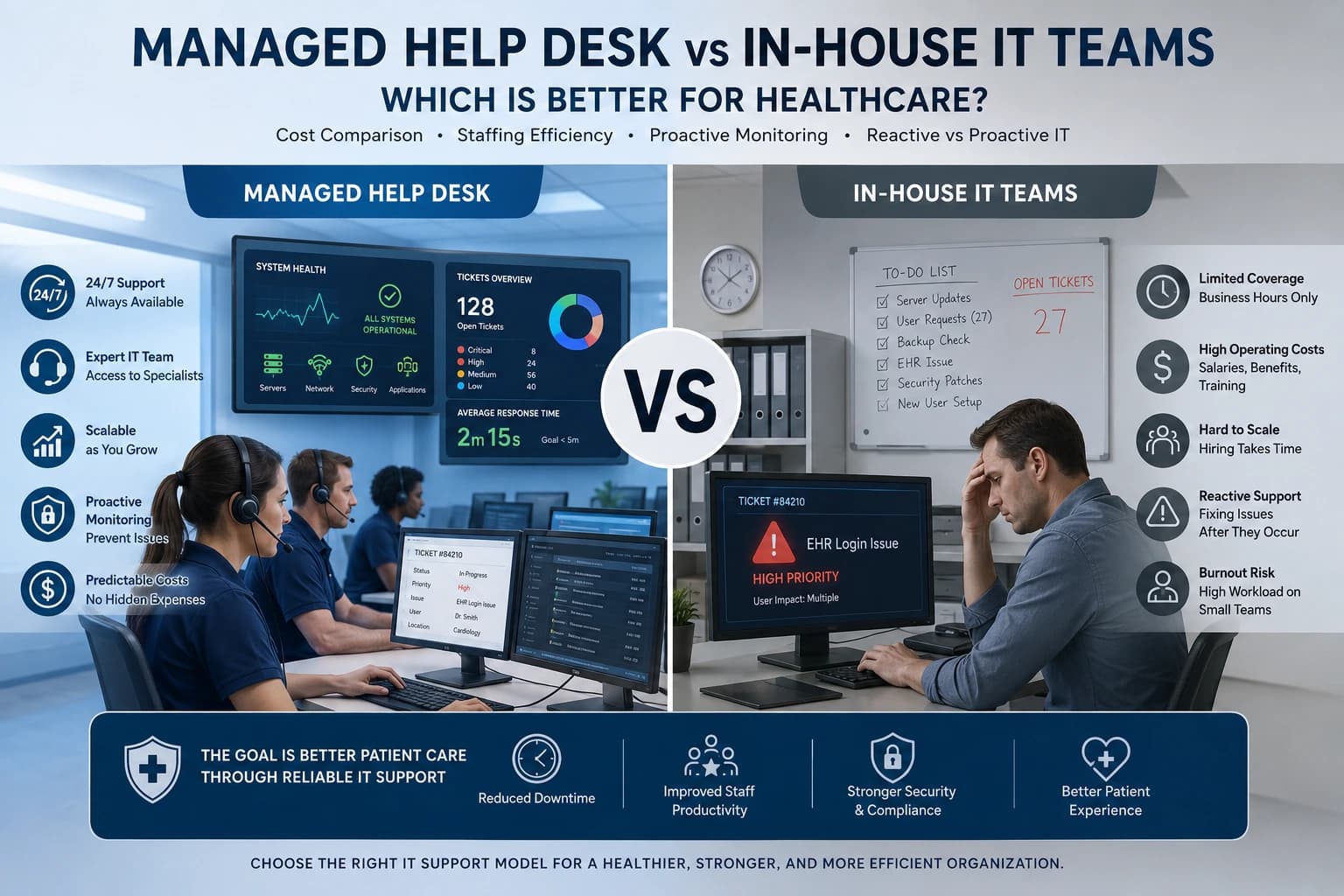
Internal IT Team vs 24×7 Managed Help Desk
Some healthcare organizations use only internal IT teams. Others outsource help desk support. Many use a hybrid model.
An internal IT team provides direct control, on-site knowledge, and deep understanding of internal workflows. However, small internal teams may struggle with 24×7 coverage, after-hours support, cybersecurity monitoring, and high ticket volume.
A managed 24×7 help desk provides broader coverage, structured ticketing, monitoring, reporting, and scalability. It can reduce pressure on internal IT staff and improve after-hours support.
For many healthcare organizations, the best model is hybrid. Internal IT manages strategy, vendors, compliance oversight, and on-site needs, while the 24×7 help desk handles daily tickets, remote support, monitoring, and after-hours issues.
Final Thoughts
24×7 IT help desk support is essential for healthcare organizations that depend on reliable technology. It helps protect patient care, reduce downtime, improve staff productivity, strengthen cybersecurity response, and keep critical systems available.
A strong healthcare help desk supports EHR and EMR access, telehealth platforms, patient portals, workstations, networks, cloud applications, and security alerts. It also provides ticket escalation, SLA response time tracking, remote desktop support, NOC integration, call tracking, incident resolution, and reporting.
The best help desk support model is built around healthcare needs. It understands clinical urgency, patient care impact, compliance responsibilities, and the importance of continuous system availability.
When healthcare staff can get help whenever they need it, they work with more confidence. When systems are monitored and incidents are resolved faster, patients receive better care. When leadership has clear reporting, the organization can improve long-term IT performance.
For hospitals, clinics, labs, telehealth providers, senior care facilities, and multi-location healthcare groups, 24×7 IT help desk support is a foundation for safer, smoother, and more reliable healthcare operations.
FAQs
1. What is 24×7 IT help desk support?
24×7 IT help desk support is continuous technical support available 24 hours a day, 7 days a week, and 365 days a year. It helps users resolve IT issues at any time.
2. Why is 24×7 IT help desk support important for healthcare?
It helps healthcare organizations reduce downtime, support patient care, improve staff productivity, and keep critical systems available during and after business hours.
3. What issues can a healthcare IT help desk resolve?
It can resolve EHR and EMR access issues, login problems, network issues, printer problems, software errors, telehealth issues, patient portal problems, cloud access issues, and cybersecurity alerts.
4. What is SLA response time?
SLA response time defines how quickly the support team must respond to an issue based on its priority level. Critical healthcare issues usually require faster response.
5. What is ticket escalation?
Ticket escalation means moving a support issue to a higher technical level when it cannot be resolved by the first technician.
6. How does remote desktop support help healthcare organizations?
Remote desktop support allows technicians to securely access a user’s computer and fix issues quickly without needing an on-site visit.
7. What is NOC integration?
NOC integration connects the help desk with a Network Operations Center that monitors networks, servers, backups, security alerts, and system performance.
8. How does call tracking improve IT support?
Call tracking logs every support request as a ticket. It helps measure response times, resolution times, common issues, and SLA performance.
9. Does 24×7 IT help desk support help with HIPAA?
A healthcare-focused help desk can support HIPAA-aligned processes through secure access, documentation, identity verification, access controls, and incident escalation.
10. Is 24×7 IT help desk support only for hospitals?
No. It is also useful for clinics, urgent care centers, labs, telehealth providers, senior care facilities, ambulatory surgery centers, and multi-location healthcare organizations.